• Register
    • Login
    • Search
    • Categories
    • Recent
    • Tags
    • Popular
    • Users
    • Groups
    • Search

    Inserting image in HMI

    Mervis
    2
    2
    997
    Loading More Posts
    • Oldest to Newest
    • Newest to Oldest
    • Most Votes
    Reply
    • Reply as topic
    Log in to reply
    This topic has been deleted. Only users with topic management privileges can see it.
    • I
      iVar last edited by

      Hello,
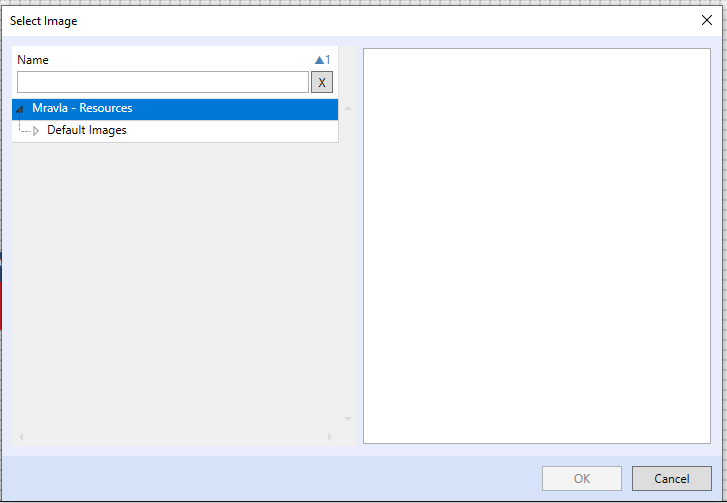
      InsertingImageInHMI.png
      I can not find the way to insert background image in MERVIS HMI, can someone please help me.
      In older versions of MERVIS was simple and it worked like a charm.

      Have a nice day.

      Bostjan

      1 Reply Last reply Reply Quote 0
      • A
        AVsetula last edited by

        Hi @iVar,

        All images must be in the Resources directory, otherwise they are not available, please see screenshot.
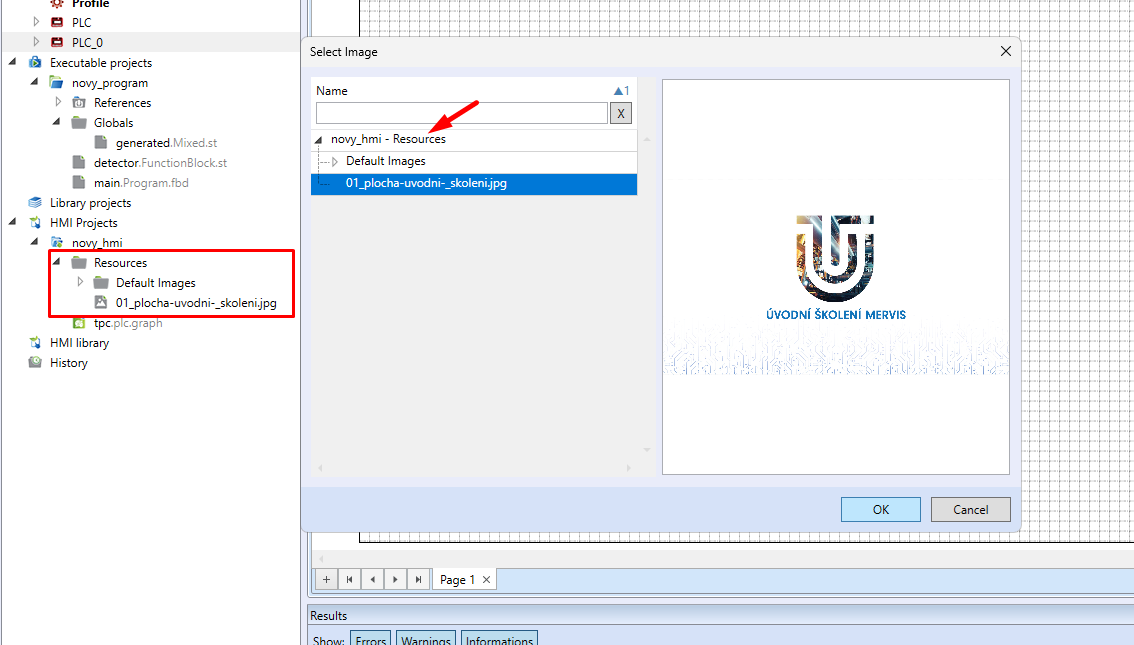
        bc530895-594f-40b4-b824-eeb01ffd6325-obrazek.png


        Best regards,
        Antonín Všetula - Unipi technician

        1 Reply Last reply Reply Quote 0
        • First post
          Last post